
Battery Problems in Laptops Explained
We’ve all experienced the frustration of a “low battery” warning during a critical project or movie marathon. In our mobile world, a laptop is only as useful as its power source. When a battery begins to fail—draining rapidly or requiring a constant connection to a charger—it’s often a clear signal that you need professional laptop repair to restore your device’s mobility and performance.
Understanding the ‘why’ behind these power struggles is the first step toward reclaiming your mobility. Whether you want a quick-fix solution to the problem or need laptop repair professionally, here is a deep look at why batteries fail and how to keep your tech life running smoothly.
The Science of Aging: Why Batteries Eventually Lose Their Spark
The most common type of batteries modern laptops heavily depend on is lithium-ion (Li-ion) batteries. They are great in that they are lightweight and powerful, but they are not immortal. They can be compared to a sponge that gradually loses its water-retaining ability. If the device eventually stops holding a charge altogether, then it’s a good time to seek out laptop repair professionals and bring that original mobility back.
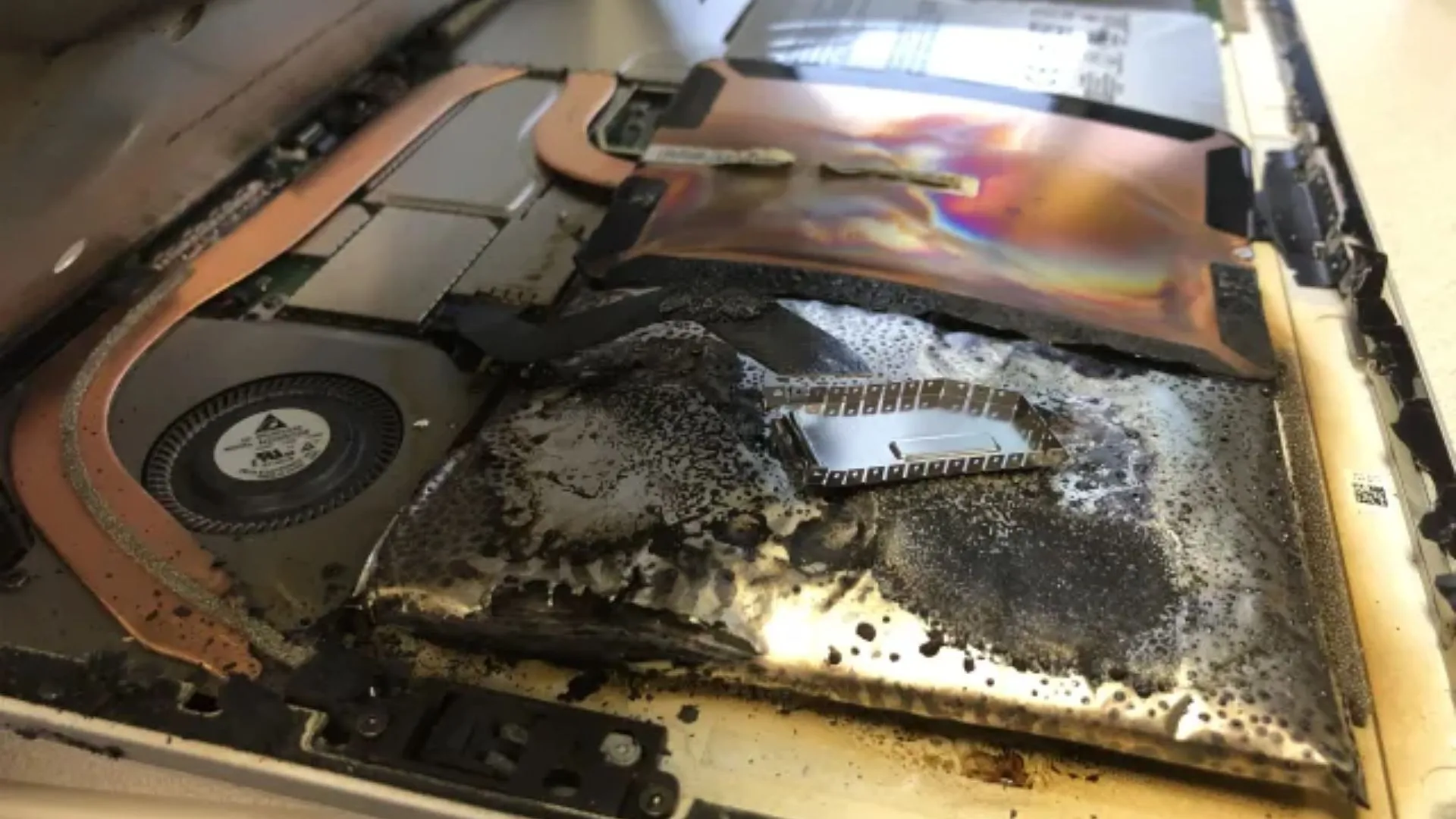
Every time you charge and discharge your device, there is a miniscule bit of wear and tear in its internal chemistry. After 300-500 charge cycles, there is a noticeable drop in performance levels. This is not a flaw, but the overall nature of the technology. However, heat plays the silent killer role in this case. Heat will play the role of a chemical catalyst in this case.
Is Your Battery Failing? Look for These Warning Signs

Sometimes it’s very obvious, and other times, the symptoms are so subtle. The following are some common battery failure symptoms to watch out for:
The “Dwindling Minute” Syndrome
You charge to 100%, but within thirty minutes, you’re hunting for a socket.
Unexpected Blackouts
Your laptop shuts down instantly without warning, even if the icon claimed you had 20% left.
The “Plugged In, Not Charging” Mystery
This is often a communication breakdown between your software and the hardware.
Physical Deformities
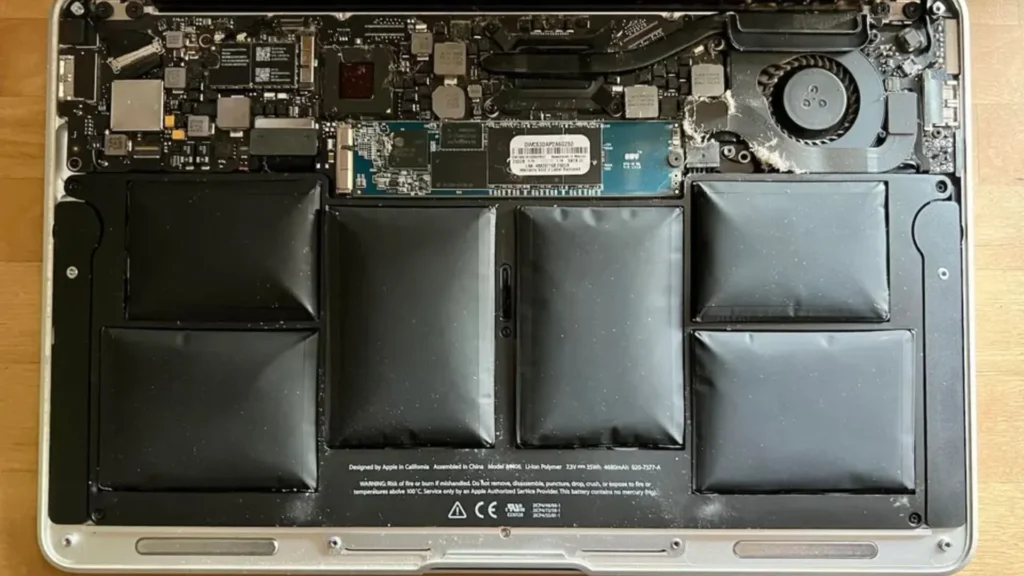
If your keyboard is bulging or the trackpad feels “stiff,” your battery might be swelling. This is a safety hazard that requires immediate professional attention.
Software Glitch or Hardware Failure?
Before you assume the worst and assume you need an immediate laptop repair, check your habits. High screen brightness, dozens of open Chrome tabs, and demanding background apps can drain even a healthy battery. It’s always worth checking your power settings first to see if a few simple adjustments can extend your runtime.
However, if your settings are optimal and the laptop still struggles, the problem lies in the physical aspects. It could be a charging port, a tired motherboard chip, or the battery cells themselves are not working properly. That is why laptop repair professionals are quite important, as opening a modern machine without the required tools can cause more problems.
The Value of an Expert Touch
It’s tempting to grab a cheap replacement battery from a random online marketplace and try a DIY fix. But modern laptops—especially sleek ultrabooks—are built like puzzles. Batteries are often glued in, and one slip of a tool can cause permanent damage to the delicate internal circuitry. In many cases, an attempt to save a few pounds ends up costing much more in secondary laptop repair bills if the screen or motherboard is damaged during the process.
If you are local to Berkshire, then looking for Laptop repair Bracknell is a far safer option. They use only high-quality pieces that can communicate correctly with the laptop software, so no “unrecognized battery” errors appear. Also, such a specialist can make sure that it is not the motherboard that causes problems.
Beyond the Battery: Screens and More
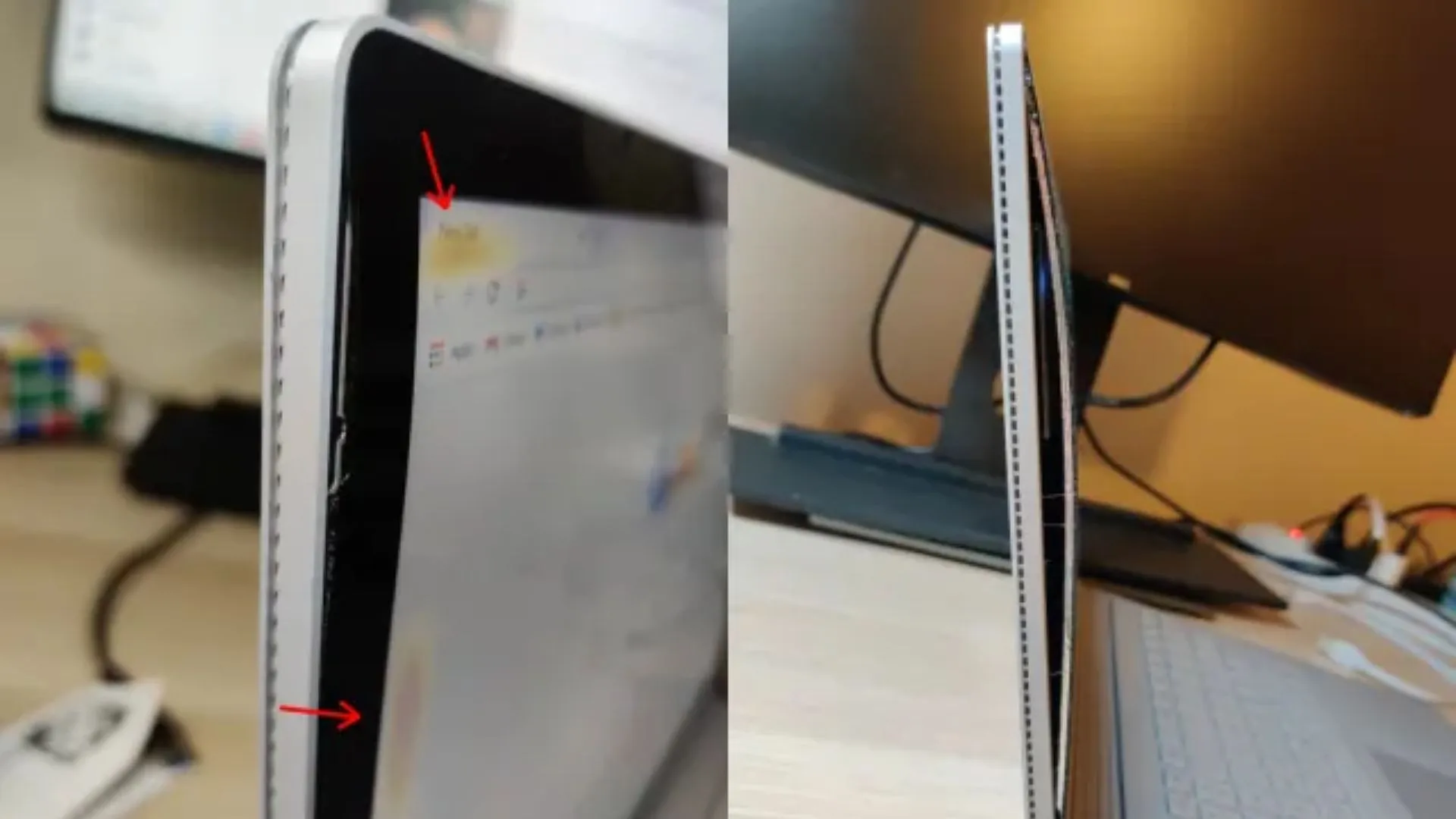
Hardware problems rarely come alone. Sometimes a battery issue stems from a drop that also caused a small crack in your display. If you’ve been delaying a laptop screen repair, it’s often cheaper to address both problems at once. Fixing the screen improves your view, while a new battery gives you back your freedom, making your laptop feel like new again.
Proactive Habits for a Healthier Battery
You can’t stop time, but you can definitely slow it down. To get the most out of your machine, try these tips:
Airflow is Everything
Don’t work on blankets or pillows; keep the vents clear to prevent heat buildup.
The 80/20 Rule
Try to keep your battery between 20% and 80%. Constantly hitting 0% is stressful for the cells.
Stay Updated
Manufacturers often release software patches that optimize how your laptop consumes power.
Final Thoughts: Don’t Let a Bad Battery Slow You Down
A failing battery doesn’t mean your laptop has reached the end of the road. In fact, opting for a professional laptop repair to replace a tired battery is one of the most sustainable and budget-friendly ways to extend the life of your device by several years.
If you’re tired of being stuck near an outlet or need to fix a crack, help is nearby. For those who need trustworthy laptop repair Bracknell, contacting a certified technician can save you the expense of a brand-new machine. Your laptop is your window to the world, so keep it powered and ready for anything!
Comments